How to add a new page
The first step is to consider whether your file should be an addition to an existing SOP, or should be the start of a new SOP tree. Let’s explore the difference.
Adding to an existing file
Open that file, make changes, commit those changes, and push it to the main branch.
Step 1

Step 2

Step 3
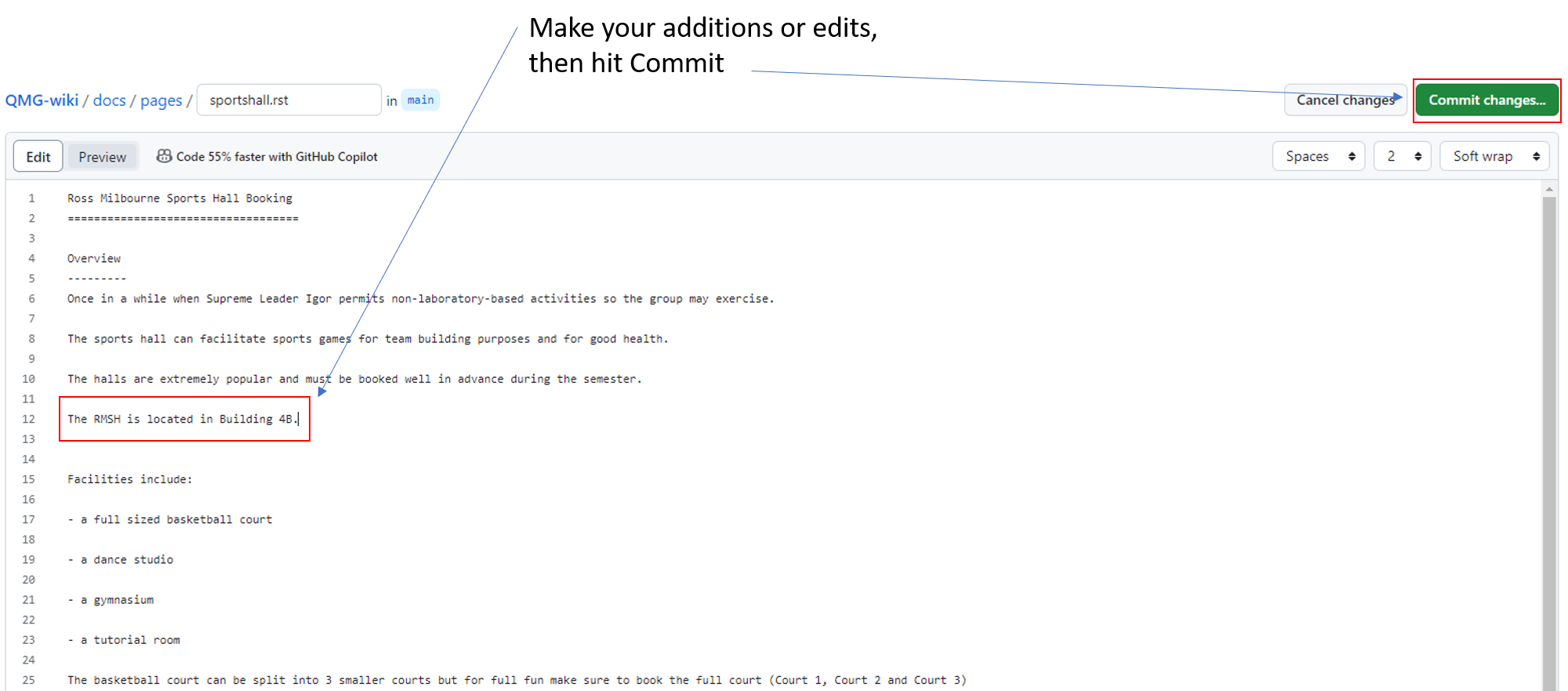
Step 4
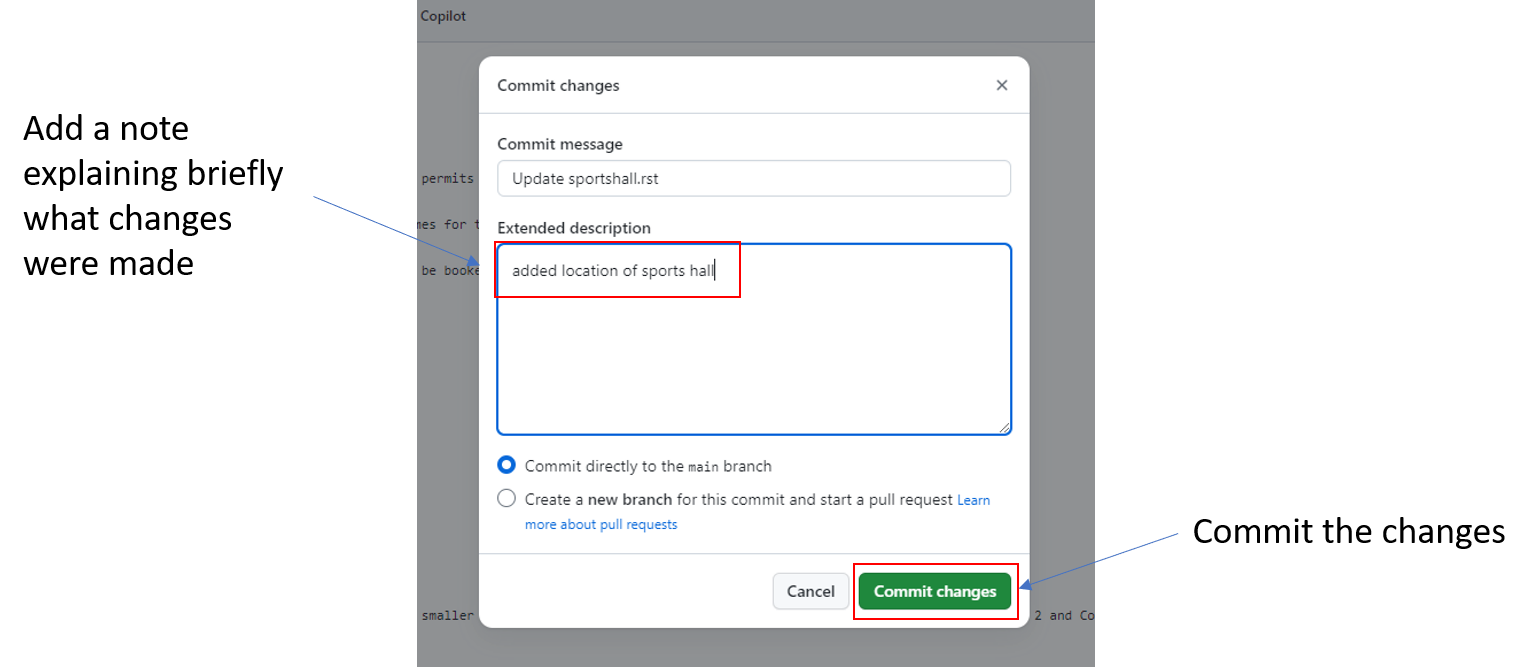
Step 5
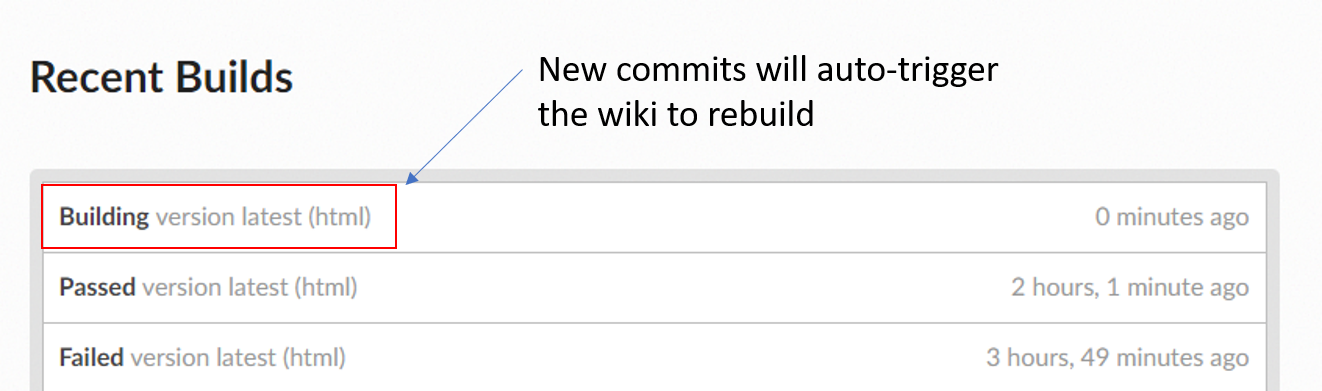
Step 6

Creating a new SOP file
Prepare your document offline as much as possible before adding it to the wiki. Once ready, follow these steps:
Step 1

Step 2

Step 3
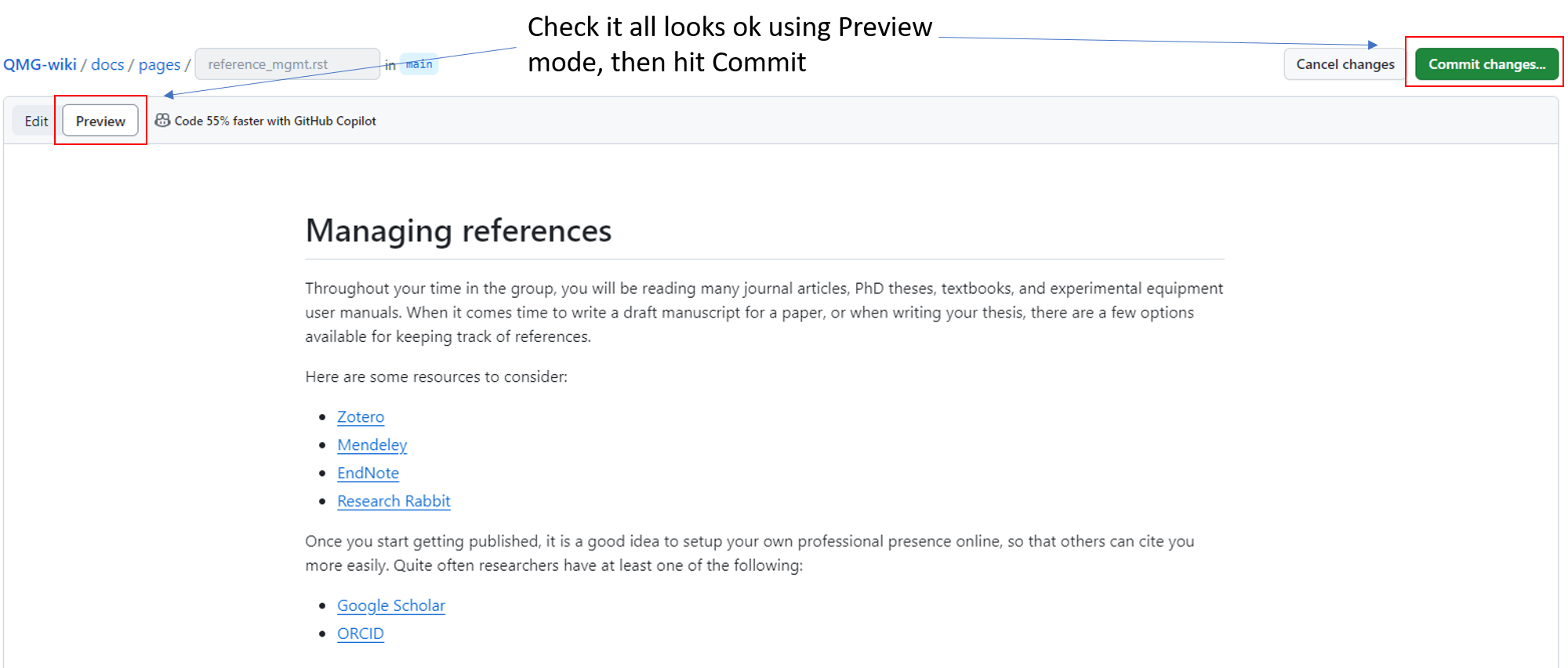
Step 4
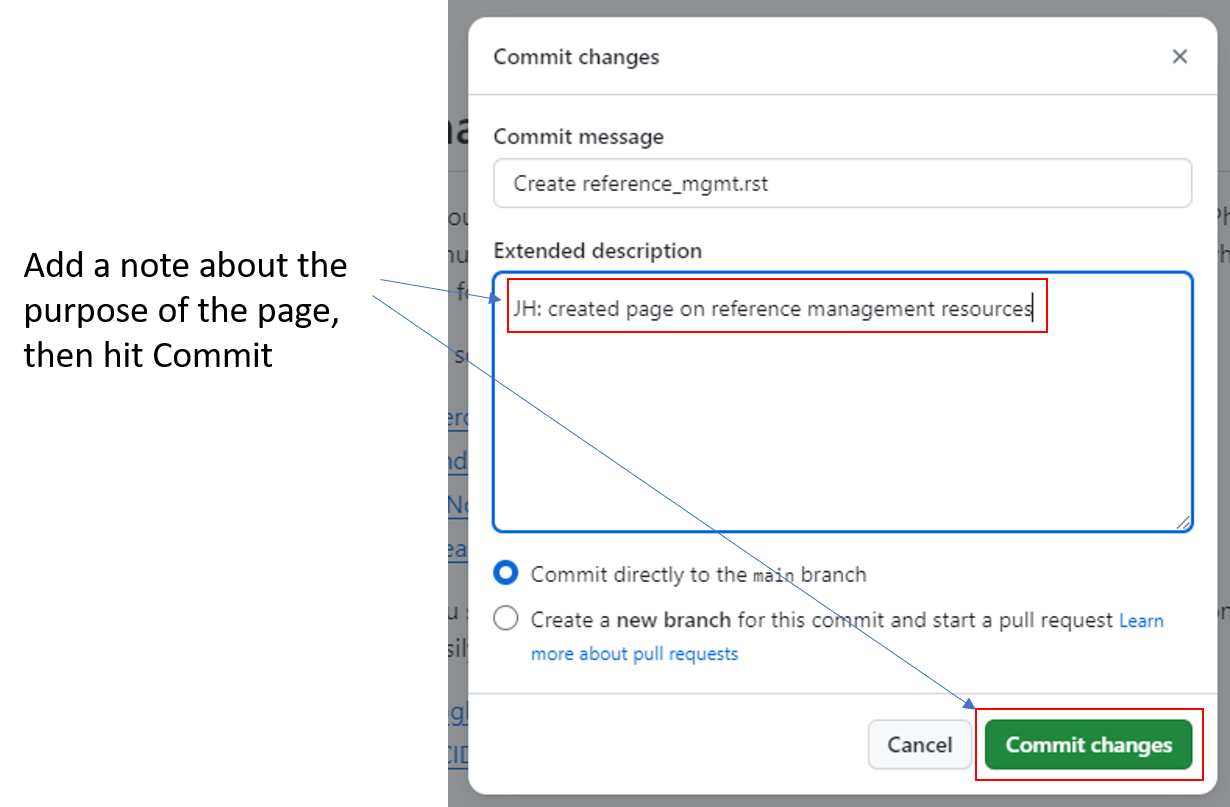
Step 5
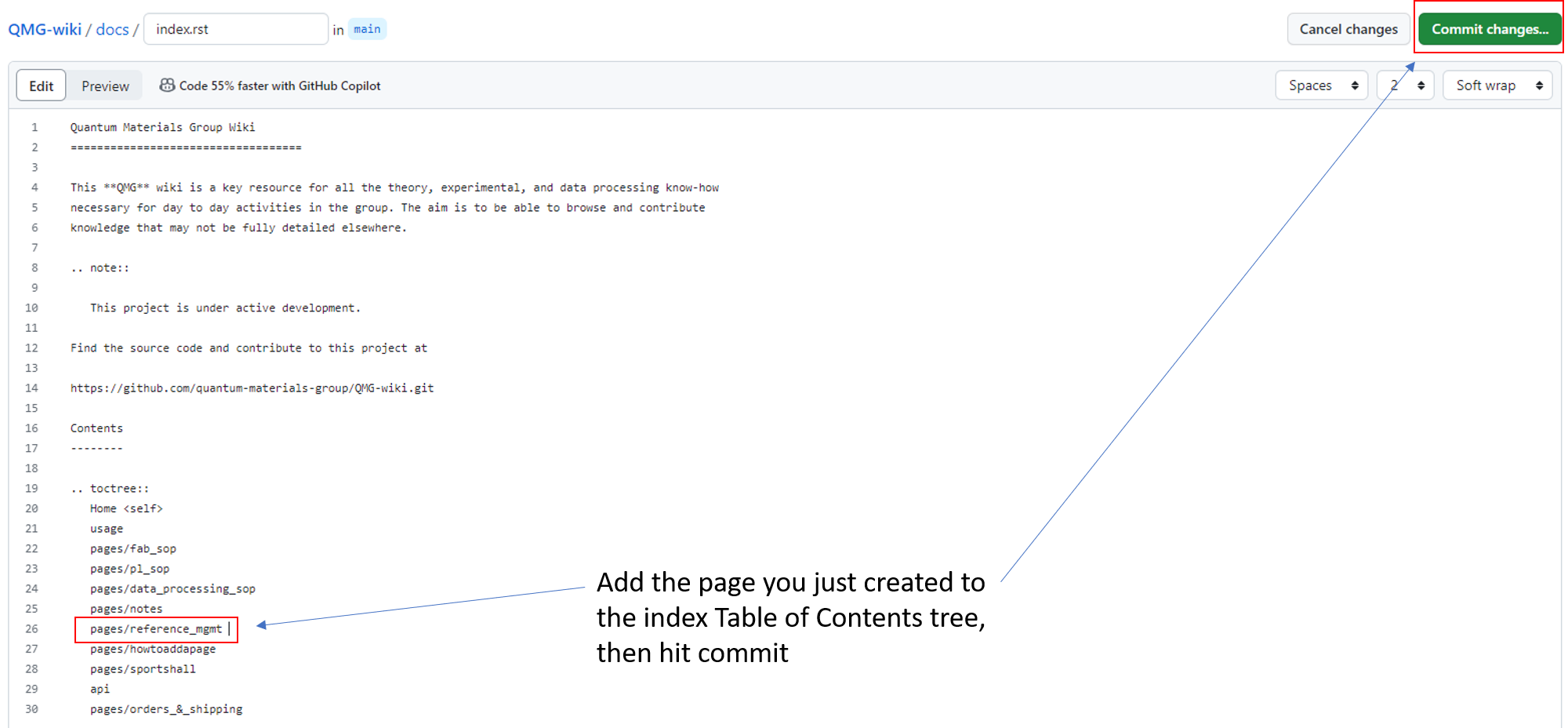
Step 6
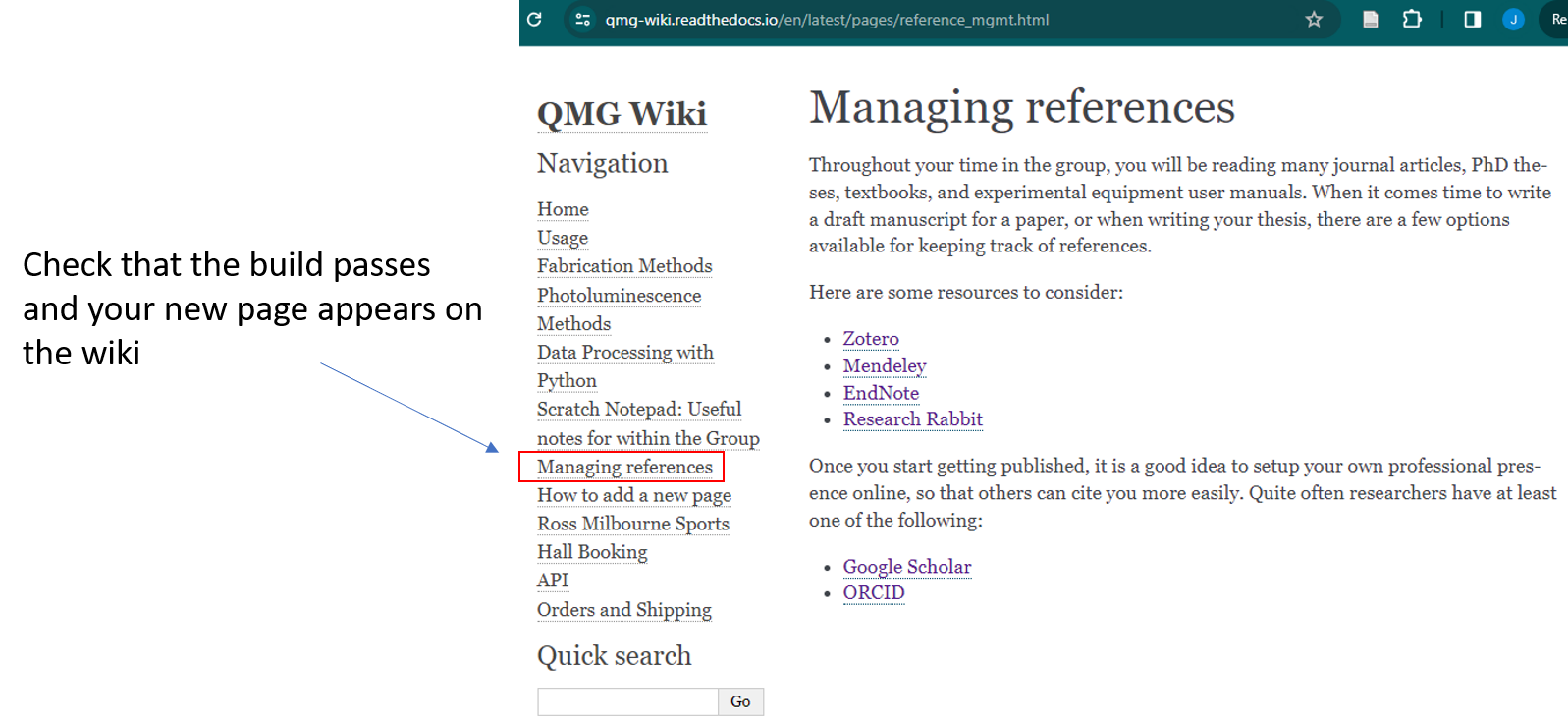
Always! Check your changes have rendered the way you expect on the QMG-wiki readthedocs.
Note: Images should be stored in “/docs/_static/”. Either directly or for multiple pictures in a folder.
To reference these pictures in your SOP use:
Below is an image of a pixel cat.

|pixelcat|

.. |pixelcat| image:: ../_static/pixelcat.png
    :width: 45%
Below is an image of a pixel cat.