Data Processing with Python
Overview
Python is a popular, free programming language that can be used to process and analyse experimental data, and is even capable of automating experimental procedures.
Many group members find the Spyder interface is an easy way to use Python – the version offered by Anaconda
comes prepackaged with many of the most widely used libraries like numpy, matplotlib, and scipy.
This page will walk through some examples of the Python functions defined in the phd_fns.py library.
For a crash-course introduction, the video below goes into some detail about how to import data, plot it, and fit it with predefined functions.
Loading Data
To get our experimental data, which may be saved as a .txt file or a .spe file or whatever, into Python, we can use the load_files function from the phd_fns.py library.
Running this function in a script makes a box pop up, from which we can navigate to and select the data files we want to import.
The load_files function returns a list, with length equal to the number of files selected, where each entry in the list is the pathway to the file on our computer.
We can then use other functions like np.genfromtxt to actually open up the file and convert it to an array object in the Python workspace.
To begin, we can make sure our project folder is well organised. It is handy to have a folder containing experimental data, and another folder containing Python script.
Most importantly, the script that does the data processing (plot_PL_spectra.py in the example below) should be in the same folder as the phd_fns.py library.
Project folder:

Python folder inside project folder:

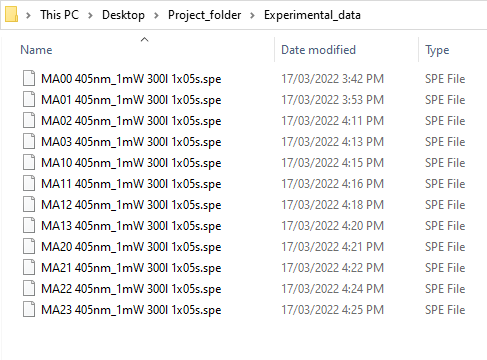
Experimental data folder inside project folder:
In Spyder, we can write a script that uses load_files to, for example, plot PL spectra. When running the script, a prompt appears to allow file selection:

If everything works out, we should see that the files have been successfuly opened and processed by Python:

Note that the files_path variable is a kind of list, while the elements of files_path are actually strings:
